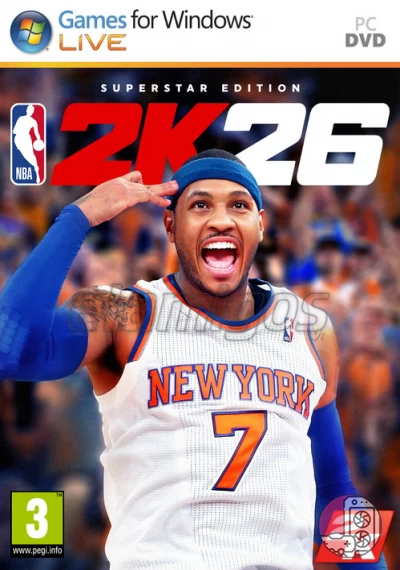
Requirements
Minimum requirements
Requires a 64-bit processor and operating system
OS: Windows 10 64-Bit (latest update)
Processor: Intel® Core™ i3-9100 or AMD Ryzen™ 3 1200
Memory: 8 GB RAM
Graphics: NVIDIA® GeForce® GTX 1060 5 GB or AMD Radeon™ RX 5500 XT 4 GB or Intel® Arc™ A580
DirectX: Version 12
Network: Broadband Internet connection
Storage: 110 GB available space
Additional Notes: SSD Required. Dual-analog Gamepad recommended. Initial installation requires one-time internet connection for Steam authentication; software installations required (included with the game) include DirectX and Visual C++ Redistributable 2019. In order to play NBA 2K26 on PC, you need a processor capable of supporting AVX2 and a graphics card capable of supporting DirectX feature level 12.0.
Recommended requirements
Requires a 64-bit processor and operating system
OS: Windows 11 64-Bit (latest update)
Processor: Intel® Core™ i5-10600 or AMD Ryzen™ 5 3600X
Memory: 16 GB RAM
Graphics: NVIDIA® GeForce® RTX 2070 8 GB or AMD Radeon™ RX 5700 8 GB or Intel® Arc™ A770
DirectX: Version 12
Network: Broadband Internet connection
Storage: 110 GB available space
Additional Notes: SSD Required. Dual-analog Gamepad recommended. Initial installation requires one-time internet connection for Steam authentication; software installations required (included with the game) include DirectX and Visual C++ Redistributable 2019. In order to play NBA 2K26 on PC, you need a processor capable of supporting AVX2 and a graphics card capable of supporting DirectX feature level 12.0.
Observations
ElAmigos release. Updated to version 5.0 (26.02.2026); 22 DLC are included (4K Textures + 21 more).
Release is using Hypervisor bypass by DenuvOwO team. Instructions:
- install game
- educate yourself first by reading _Info.txt and DenuvOwO.nfo; CPU virtualization must be enabled in BIOS (some motherboards have it enabled as default setting)
- start as Administrator "VBS.cmd" from game folder, press 1, restart computer, then on the next boot press F7 when new window will show up (driver signature OFF)
- start from desktop icon
Once you make it work, any other game with Hypervisor can be installed and played from desktop icon (as long as you don't restart/shutdown PC - then again VBS.cmd > 1 > reboot > F7 > desktop icon)